
For coaches
Plan the week.
Develop the player.
Plan the week, prepare game day, review the film and keep every player’s development plan moving, all in one place. Then keep developing yourself with Coaches Corner.
Coaches can sign up on their own. If your club already uses OneClub OS, sign in through your club.

The problem
Coaching work is spread across tools.
Session plans, film, player notes and messages should inform the same training week. OneClub OS brings them into one workspace.
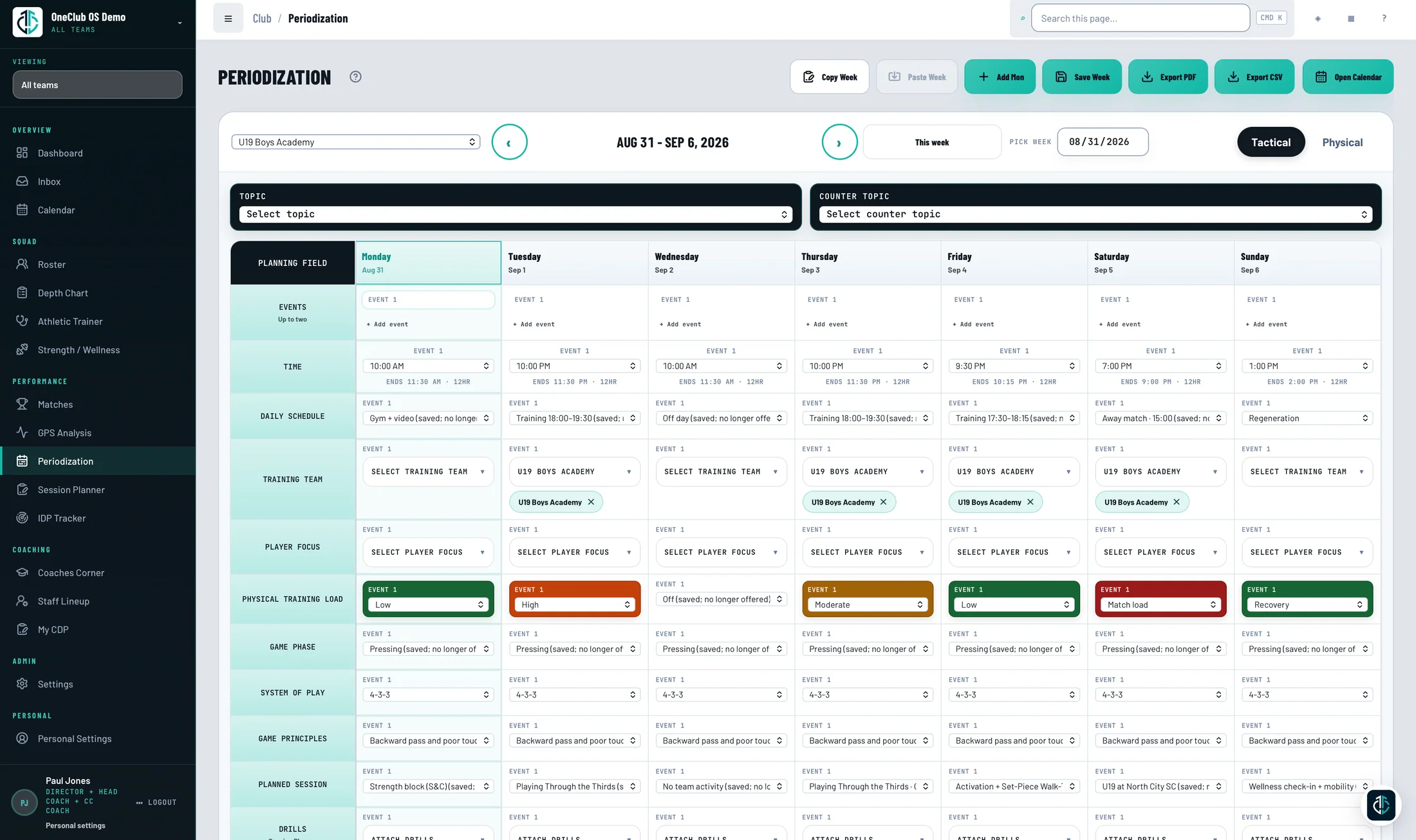
The whole coaching week, connected.
- 01
Plan with purpose.
Connect sessions, daily load and match preparation in one training week.
- 02
Prepare game day.
Build the lineup with depth charts and player status in view, prepare set pieces and export a packet your staff can take to the pitch.
- 03
Review the film.
Clip a moment in Quick Action mode or break the match down in Video Analysis, then send clips with coaching notes to players and staff.
- 04
Develop every player.
Run IDP reviews, agree action plans and revisit progress each cycle, with the player’s own self-assessment beside yours.
- 05
Develop yourself.
Coaches Corner puts weekly learning, quizzes, Club Talk and badges in front of you, and your own development plan keeps your growth on record.
How it works
Three steps.
Then keep going.
Plan sessions, prepare game day, review film and develop every player.
For coaches
Spend your time on the coaching.
Sign up on your own today, or bring OneClub OS to your whole club.